This article details how to subscribe to the Knowledge Communities. This feature allows a customer or partner to be notified when a product announcement is published.
Announcement subscriptions require a Precisely user account. Your Precisely user account is the email address you use to access the Precisely.com web apps, Online Case Management, Partner Community ( partners only ), Precisely Ideas, or Knowledge Communities.
For more details on the customer community and account registration process, please visit: How to Access and Use the Precisely Customer Community.
If you only want to join the Knowledge Communities and do not require case or knowledge article access, then you can sign up for the Knowledge Communities from the homepage. After you set your password, please wait 5 minutes before trying to log in to make sure your account is set up in the Knowledge Communities.
Join Community :
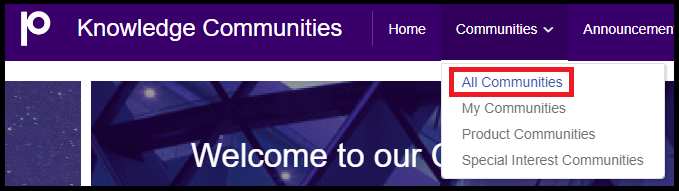
Within the community portal, navigate to "All Communities" within the following drop-down menu.
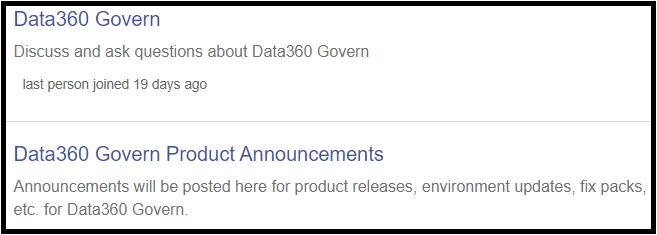
Locate the applicable product and select "Join", located on the right side of the forum listing.

Please note that each product may have both a "Discussion" and "Product Announcement" forum. Communications from the product management team will be relayed through the "Product Announcement" forum, for example :
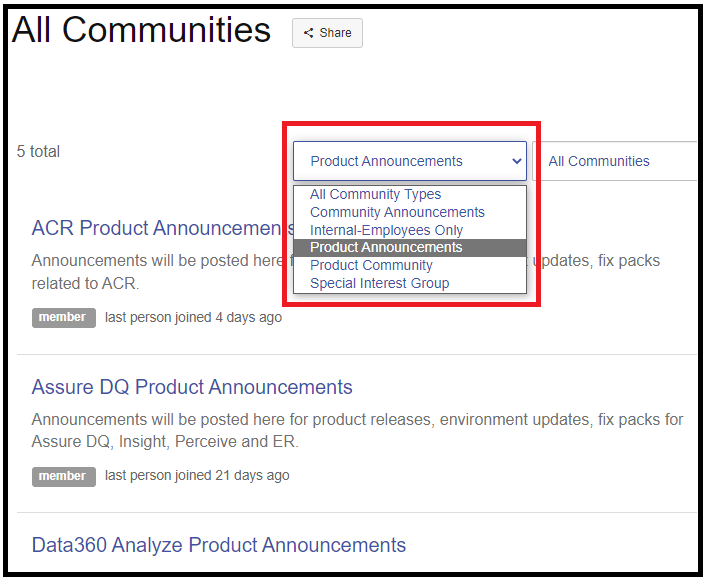
Filtering options are available to assist in isolating community types :
Alert Options :
Once a user opts in to "Join" an application forum, settings will be available to control the frequency of notifications.
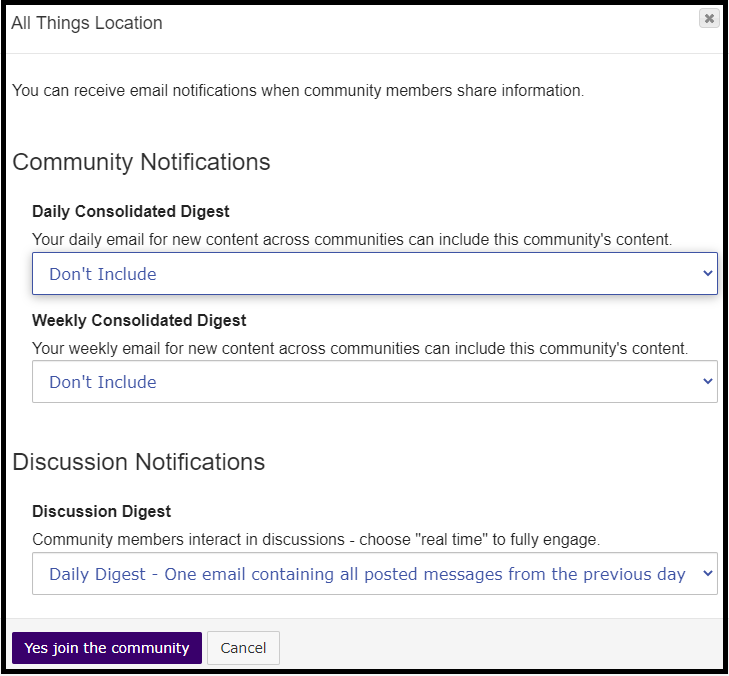
Users may determine on this settings page how frequently notifications will be sent (you may opt out of notifications entirely through this same menu selection).
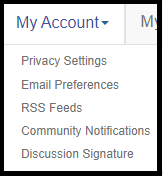
These settings may be updated at any time by navigating to your user settings (top-right corner of screen) and opening your "Email Preferences" / "Community Notifications" within the "My Account" drop-down.
Remove Subscription :
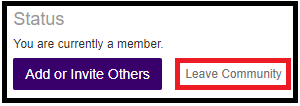
At any time, a user may remove their subscription to an application forum. To do so, navigate to the forum and locate the "Settings" field (which resides next to the forum heading). Within, there will be a "Leave Community" field :
So that you know, the Knowledge Communities portal is the central hub for all user/announcement forums. This standard will be available for all Precisely application suites. If the Knowledge Communities does not currently host a specific user forum for your product, please post in the Other Software and Data forum.
Communications sent from the Knowledge Communities will come from the email domain connectedcommunity.org, so please check your spam/junk folder if you are not seeing the emails in your inbox.