This topic is part of a series of articles about the Precisely Customer Community. For the complete list of topics, you can visit: How to Access and Use the Precisely Customer Community.
The information displayed on the Precisely Customer Community is also housed in Precisely’s back-end systems. When you update your communication preferences on the Community, your preferences are saved to ensure you do not receive unnecessary or unwanted marketing communications.
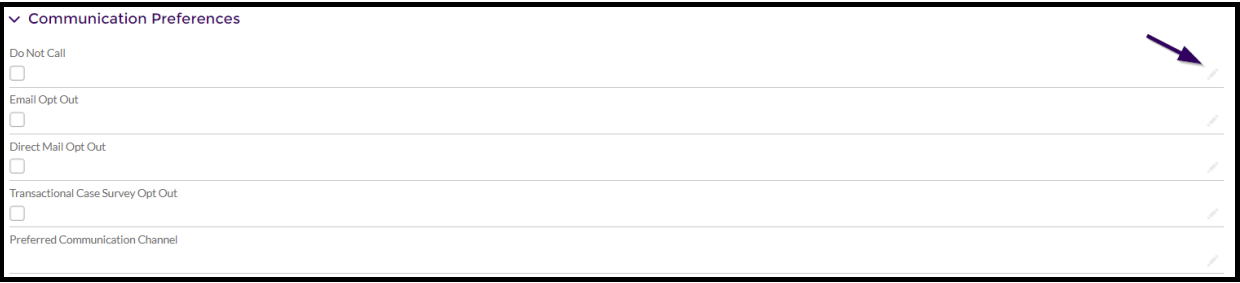
To update your marketing communication preferences, locate your Contact record and scroll down to the Community Preferences section. If you have raised a case with us, we will assume acceptance of transactional communications via phone and email to move the case forward to resolution.
-
If you do not want to receive any phone calls from Precisely, select the Do Not Call preference.
-
If you do not want to receive any emails from Precisely, select the Email Opt Out preference.
-
If you do not want to receive any mailed materials from Precisely, select the Direct Mail Opt Out preference.
-
After a Case you have opened is closed, you will receive a request to complete a customer satisfaction survey (you will only receive one every 7 days). If you would not like to receive this survey, select the Transactional Case Survey Opt Out preference.
-
If you have a preferred channel for receiving communications from Precisely, update your Preferred Communication Channel preference.
Select the pencil icon next to the preference you would like to update, select the checkbox, or move the preferred communication channel to the Chosen column, and select the Save button.
For Partner contact communication preference updates, please raise a case.