This topic is part of a series of articles about the Precisely Customer Community. For the complete list of topics, you can visit: How to Access and Use the Precisely Customer Community.
You can collaborate with the support team directly within the Precisely Customer Community / Precisely Partner Community by adding Posts to a Case you opened.
From the list of Cases, select the Case Number of the Case you would like to add a Post to.
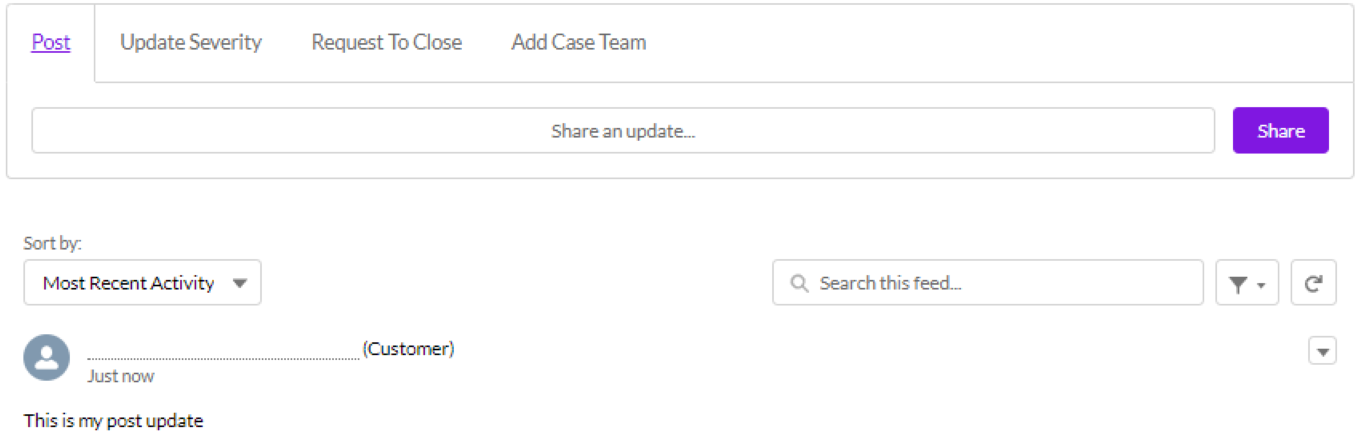
Select the Share an update field under the Post tab and enter your update in the textbox. You can use the controls at the bottom of the textbox to customize the styling (for example, bold, italic, underline, strikethrough, etc.). You can also insert an image via the image attachment button.

Once you are ready to share your update, select the Share button.
Any updates you have shared (or have been shared with you) will show in the Case feed under the Post tab.